
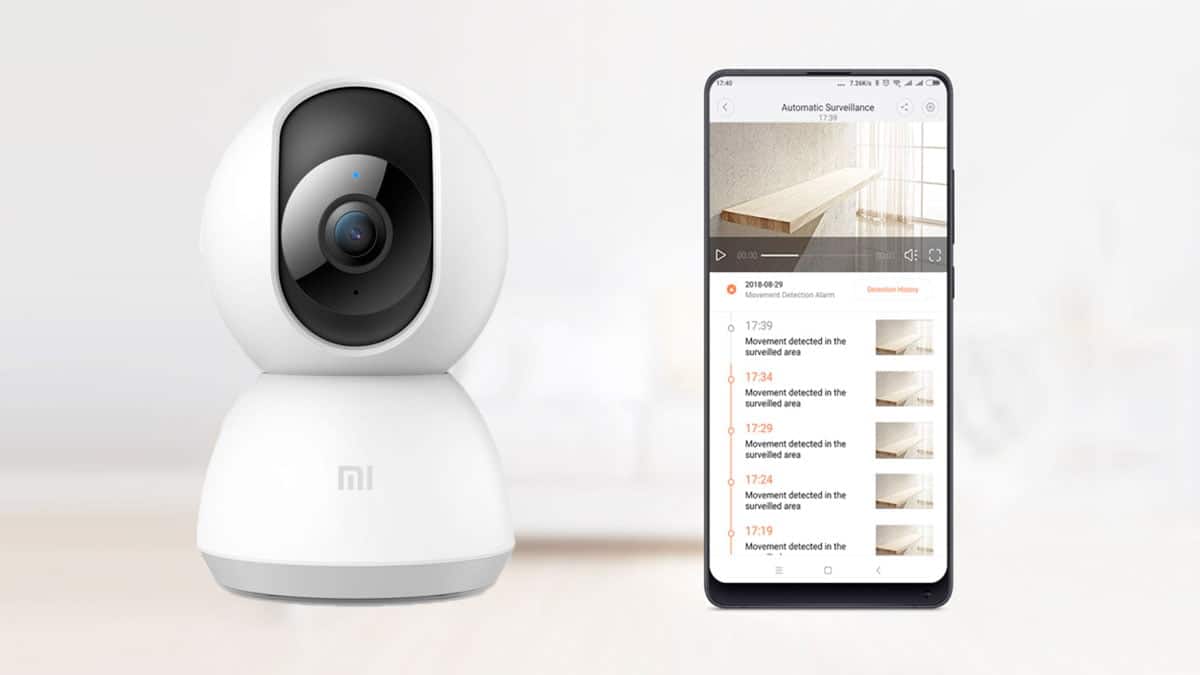
Mi home security app is not a security app or Antivirus for your Android mobile or PC. But it plays a role to connect Xiaomi products with other Xiaomi Mi devices.
You can easily connect your Mi Home security 360 camera with you Android mobile or PC. And after installing this app you will be able to live view you Mi camera footage.
This app only work with Xiaomi Mi devices. Other brand camera and other devices are not supported by this app.
MiUI Security App is something different which comes preinstalled in MiUI based smartphones to manage the cyber threat to the Xiaomi smartphones.
That app act like a firewall or Antivirus in Mi Mobile which we will have discussed in other post.
What is Mi Home Security Camera App
Mi Home app is the application software developed by Xiaomi to connect and access Mi devices. It is capable of managing Xiaomi products in the convenient and easiest way.
This app can manage Mi Home Security camera, lamp, vacuum cleaner, smartwatch, alarm clock, fan and other Xiaomi products.
It is very easy to use Mi Home app but to use this app you have to create a Mi account or login if you already have.
After login the app click on the detect nearby Xiaomi devices it will show the list of all available Mi wireless devices.
This app can be very useful for individual if he has any Mi device other than smartphone.How to Connect a Xiaomi Security Camera to the Xiaomi Home App
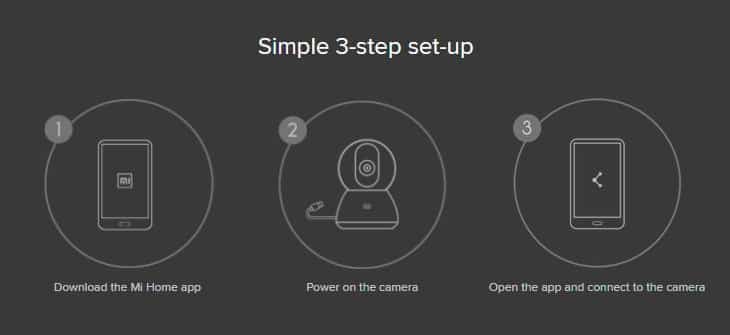
- Install Xiaomi Home from the Google Play Store or Apple App Store.
- Open the app and sign in to your Xiaomi account.
- Power on the camera and make sure your phone and home network are working properly.
- In Xiaomi Home, tap the + button and select the option to add a device. You can also use nearby-device discovery when supported.
- Follow the on-screen pairing instructions for your specific camera model.
- Check the selected region in the app. Xiaomi recommends choosing the same country in which the product was purchased.
- Complete the setup and open the camera device card to check its live view and other supported functions.
Menu names can differ between app versions. If the camera does not appear, check the product manual, update the app, and follow Xiaomi’s model-specific setup instructions before resetting the camera.
Xiaomi Home App Download for Android, iPhone and Windows
Xiaomi Home, also referred to as Mi Home in some regions, is Xiaomi’s app for managing supported smart-home devices, including compatible security cameras. The app is available for compatible Android and iOS devices. Camera and feature availability can vary by product model, operating system and region.
- Android: Download Xiaomi Home from the Google Play Store.
- iPhone and iPad: Download Xiaomi Home from Apple’s App Store.
- Windows PC: Xiaomi Home does not have a native Windows version. Xiaomi India offers a separate application called Xiaomi Camera Viewer for supported cameras.
For the safest download, use the official store or Xiaomi’s own website. Avoid installing APK, XAPK or ZIP files from unverified download mirrors simply because the file name contains “Xiaomi Home” or “Mi Home.”
Mi Home Security camera 360 degree 1080p app download
Mi home app is available to download for Windows, Android and Apple devices also. The Mi Home app is not dedicated to security features but it also has so many other features.
📥 Xiaomi & Mi Home Camera Download Hub
Download verified setup files and APKs for all Xiaomi Security Cameras (360° 1080p, 2K Pro, C200, C300, C400 & Outdoor). Sourced from official signed OEM distributions.
DOWNLOAD OLD VERSIONS
Mi Home Security App for Apple iPhone
Mi Home Security app for Xiaomi 360 camera is also available to download for Apple iPhone.
We have also provided screenshot for User Interface of Mi Home Security app for Apple iPhone devices.
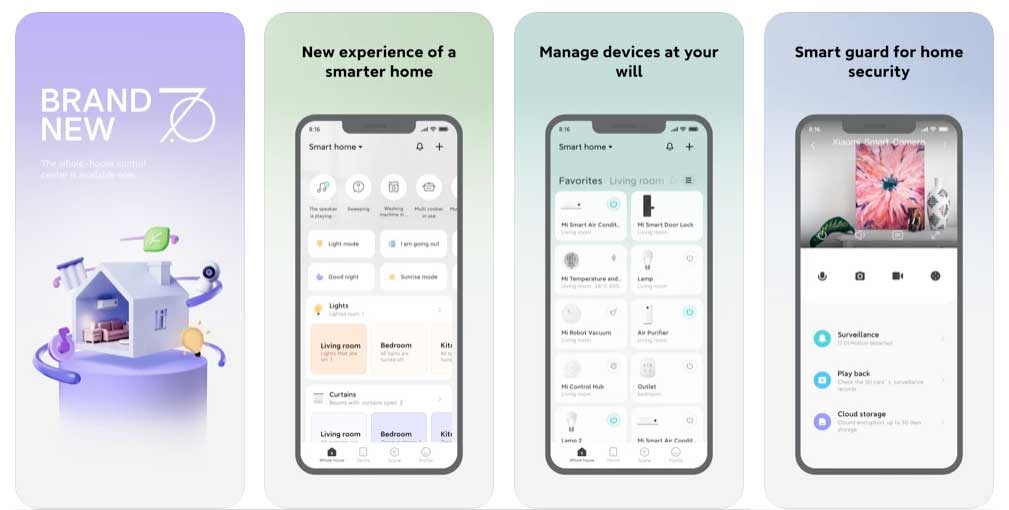
Mi home Security app for iPhone complete details can be found in the table given below.
| Software | Mi Home |
| Category | Security |
| Supported OS | iOS |
| Developer | Xiaomi Inc |
| Size | 613.1MB |
| Version | 7.4.203 |
| Update Date | 12 Apr 2022 |
| Apple store rating | 3.6 stars |
| Pricing | Free |
Apple Store Link
Mi Home Security App for Android Mobile
We have also provided screenshot for User Interface of Mi Home Security app for Android devices.
This app is compatible for Mi Redmi Poco as well as other brands Android mobiles.
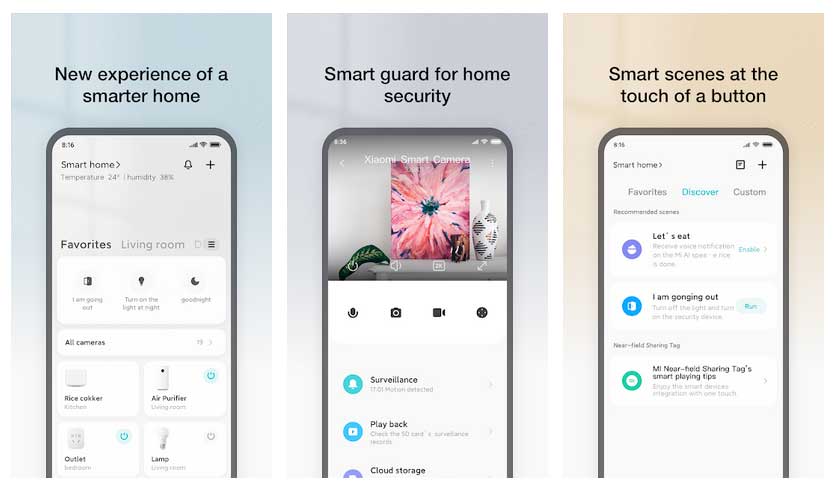
Mi home Security app for Android mobile complete details can be found in the table given below.
| Software | Mi Home |
| Category | Security |
| Supported OS | Android |
| Developer | Xiaomi Inc |
| Size | 85MB |
| Version | 7.3.706 |
| Update Date | 13 Apr 2022 |
| Play store rating | 4.3 stars |
| Pricing | Free |
Google Play Store Link
MediaFire Direct Link
Xiaomi Security Camera App for Windows PC
The Xiaomi Home mobile app and Xiaomi Camera Viewer are different applications. The mobile app is used to set up and manage supported devices, while Xiaomi Camera Viewer is a separate Windows desktop application for viewing supported Xiaomi cameras.
Before downloading the viewer, verify the camera’s exact model against Xiaomi’s compatibility information. The desktop viewer can display multiple camera feeds and supports snapshots and video recording. Xiaomi’s India FAQ states that up to nine live feeds can be displayed at one time.
How to use Xiaomi Camera Viewer
- Open Xiaomi’s official Camera Viewer page and check the supported models.
- Download the installer offered by Xiaomi.
- Review the operating-system and hardware requirements before installing it.
- Sign in using the same Xiaomi account and sign-in method used in Xiaomi Home on your phone.
- Confirm that the cameras have already been added through the mobile app.
The desktop viewer’s availability and functions depend on the model and software version. Check Xiaomi’s current download page before installing the software; do not assume that every Xiaomi camera is supported or that all mobile-app functions are available on Windows.
Mi home Security app for Android mobile complete details can be found in the table given below.
| Software | Mi Home |
| Category | Security |
| Supported OS | Windows7/8/10 |
| Developer | Xiaomi Inc |
| Size | 90.88MB |
| Version | 7.3.706 |
| Pricing | Free |
MediaFire Direct Link
Xiaomi Home App Cannot Connect to the Camera: What to Check
If the camera is missing from Xiaomi Home or keeps appearing offline, check these items in order:
- Power: Confirm that the camera is powered on and using the appropriate power adapter.
- Internet and Wi-Fi: Check that the router and the phone’s network connection are working.
- Signal strength: Move the camera closer to the router temporarily to rule out weak Wi-Fi coverage.
- Region: Open Xiaomi Home settings and confirm that the selected region matches the country where the camera was purchased.
- App version: Update Xiaomi Home through the official app store.
- Reconnect: If the camera still cannot be paired, follow the model-specific reset and setup instructions in the product manual.
If the camera repeatedly goes offline, check its indicator light and consult Xiaomi’s guidance for your model. Xiaomi also recommends checking the microSD card when investigating some camera-offline problems; do not format the card before backing up recordings you need to keep.
We have provided direct download links for Mi Home Security App from the trusted sources. As genuine app version are found on Google play store and Apple App store.
You can also download the latest available version of Mi Home Security app from the Mi App Store.
If you are having difficulty in download these files then you can write to us in the comment section below we will try to fix the issue as soon as possible.
And you can also ask questions related to the usage of Mi Home Security app for your Xiaomi 360 security camera.
Download guide
Xiaomi Camera App Finder
Choose your device and what you need to do. The finder points to Xiaomi’s official app and compatibility information; it cannot guarantee compatibility for an unidentified camera.
Windows PC: check Xiaomi Camera Viewer
Xiaomi Home itself does not have a native Windows version. Xiaomi India offers a separate Xiaomi Camera Viewer for Windows.
Your camera model is unknown, so compatibility cannot be confirmed. Xiaomi India’s FAQ lists IPC009, IPC019, V3, 2K Pro and 2i; check the exact model before downloading.
This tool recommends official Xiaomi pages only. Compatibility depends on the exact camera model and applicable region; verify it with Xiaomi before installing.
Frequently Asked Questions (FAQs)
Is Xiaomi Home the same as the Mi Home security camera app?
Xiaomi Home is the app used to manage compatible Xiaomi smart-home devices, including supported security cameras. “Mi Home” is also used in Xiaomi’s documentation and in some regions. It is not the same as the built-in Security app found on Xiaomi phones.
Can I install Xiaomi Home directly on Windows?
No. Xiaomi states that its mobile app does not have a native Windows or macOS version. Xiaomi India offers a separate Windows application called Xiaomi Camera Viewer for supported camera models.
Can I use Xiaomi Home on a Samsung, Redmi, POCO or other Android phone?
The app is available for compatible Android phones and iPhones; the phone does not need to be a Xiaomi-branded device. However, camera compatibility depends on the camera model and region, not simply the brand of phone.
Why is my Xiaomi camera not showing in the app?
Check the camera’s power and network connection, confirm that the app region matches the product’s purchase country, and make sure the app is up to date. If needed, follow the camera-specific reset and pairing instructions.
Should I download an old Xiaomi Home APK if Google Play does not work?
Start by checking Google Play compatibility, the supported Android version and Xiaomi’s official support information. An APK from a third-party website is not automatically genuine or safe because its filename matches the app. Only consider sideloading a file if its origin and authenticity can be verified.
This post also contain the answer to the following queries:
- Is mi security app safe
- How to update security app xiaomi
- Xiaomi home security camera app
- Mi cctv camera app
- Mi security app
- Xiaomi security app
- Miui security apk
- Mi security apk
- Mi security camera app for PC
- Mi security camera app for Apple iPhone
- Mi home security camera 360 app
- Mi home security camera 360 app for PC
More Related Posts
I use infinix hot 9 phone. Whenever try to install from playstore the response is that your device is not compatible with this application. What is the alternative plse! My device SN is 29048/10201870