
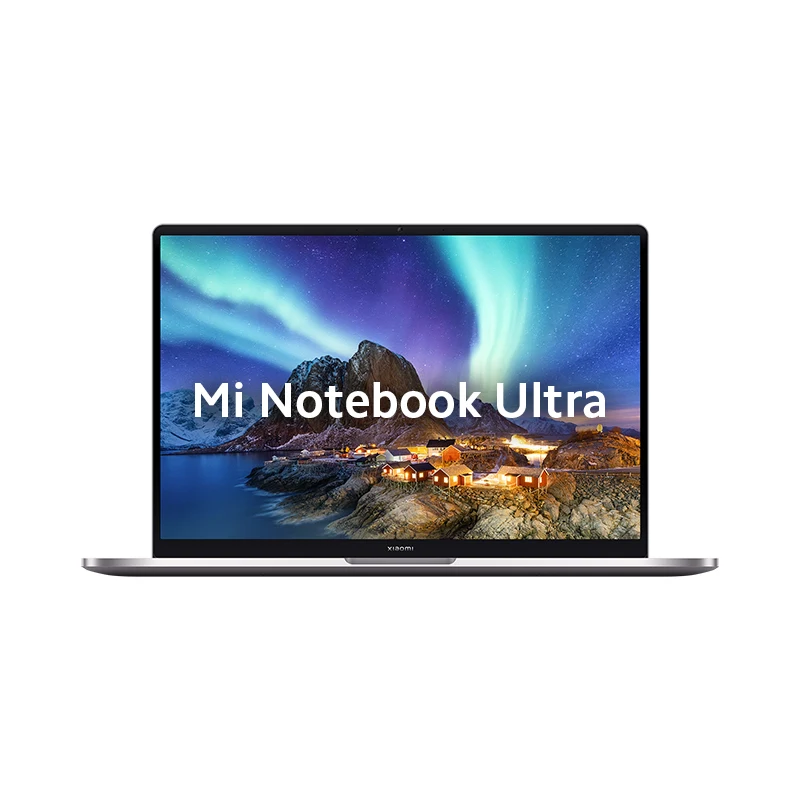
Mi Notebook Ultra Official Drivers & Software Download (Windows 11 & 10 64-bit)
Verified official factory hardware drivers, BIOS firmware updates, and OEM utilities for Mi Notebook Ultra. Access 32 verified packages covering Motherboard Chipset, Audio, Wi-Fi, Bluetooth, Intel & NVIDIA Graphics, and System Controllers across 64-bit Windows installations.
🚀 Recommended Updates
Handpicked latest releases and critical updates for Mi Notebook Ultra.
Download Mi Notebook Ultra Audio Drivers
Browse verified audio drivers packages for Mi Notebook Ultra.
Mi Notebook Ultra Audio Drivers
Mi Notebook Ultra Audio Drivers
Download Mi Notebook Ultra Bluetooth Drivers
Browse verified bluetooth drivers packages for Mi Notebook Ultra.
Mi Notebook Ultra Bluetooth Drivers
Mi Notebook Ultra Bluetooth Drivers
Download Mi Notebook Ultra Chipset Drivers
Browse verified chipset drivers packages for Mi Notebook Ultra.
Mi Notebook Ultra Chipset Drivers
Mi Notebook Ultra Chipset Drivers
Download Mi Notebook Ultra Dynamic Platform & Thermal Framework (DPTF)
Browse verified dynamic platform & thermal framework (dptf) packages for Mi Notebook Ultra.
Mi Notebook Ultra Dynamic Platform & Thermal Framework (DPTF)
Mi Notebook Ultra Dynamic Platform & Thermal Framework (DPTF)
Download Mi Notebook Ultra Fingerprint Sensor Drivers
Browse verified fingerprint sensor drivers packages for Mi Notebook Ultra.
Mi Notebook Ultra Fingerprint Sensor Drivers
Mi Notebook Ultra Fingerprint Sensor Drivers
Download Mi Notebook Ultra Intel GNA Drivers
Browse verified intel gna drivers packages for Mi Notebook Ultra.
Mi Notebook Ultra Intel GNA Drivers
Mi Notebook Ultra Intel GNA Drivers
Download Mi Notebook Ultra Intel Graphics Drivers
Browse verified intel graphics drivers packages for Mi Notebook Ultra.
Mi Notebook Ultra Intel Graphics Drivers
Mi Notebook Ultra Intel Graphics Drivers
Download Mi Notebook Ultra Intel Management Engine (ME)
Browse verified intel management engine (me) packages for Mi Notebook Ultra.
Mi Notebook Ultra Intel Management Engine (ME)
Mi Notebook Ultra Intel Management Engine (ME)
Download Mi Notebook Ultra NVIDIA Graphics Drivers
Browse verified nvidia graphics drivers packages for Mi Notebook Ultra.
Mi Notebook Ultra NVIDIA Graphics Drivers
Mi Notebook Ultra NVIDIA Graphics Drivers
Download Mi Notebook Ultra Power Management
Browse verified power management packages for Mi Notebook Ultra.
Mi Notebook Ultra Power Management
Mi Notebook Ultra Power Management
Download Mi Notebook Ultra Serial IO Drivers
Browse verified serial io drivers packages for Mi Notebook Ultra.
Mi Notebook Ultra Serial IO Drivers
Mi Notebook Ultra Serial IO Drivers
Download Mi Notebook Ultra Tbt
Browse verified tbt packages for Mi Notebook Ultra.
Mi Notebook Ultra Tbt
Mi Notebook Ultra Tbt
Download Mi Notebook Ultra Wi-Fi / Wireless LAN Drivers
Browse verified wi-fi / wireless lan drivers packages for Mi Notebook Ultra.
Mi Notebook Ultra Wi-Fi / Wireless LAN Drivers
Mi Notebook Ultra Wi-Fi / Wireless LAN Drivers
Download Mi Notebook Ultra BIOS Updates
Browse verified bios updates packages for Mi Notebook Ultra.
Mi Notebook Ultra BIOS Updates
Mi Notebook Ultra BIOS Updates
Download Mi Notebook Ultra Mi Support Software
Browse verified mi support software packages for Mi Notebook Ultra.
Mi Notebook Ultra Mi Support Software
Download Mi Notebook Ultra Mi Software Utility
Browse verified mi software utility packages for Mi Notebook Ultra.
Mi Notebook Ultra Mi Software Utility
Download Mi Notebook Ultra MIUI+ Multi-Screen Software
Browse verified miui+ multi-screen software packages for Mi Notebook Ultra.
Mi Notebook Ultra MIUI+ Multi-Screen Software
Download Mi Notebook Ultra On-Screen Display (OSD) Hotkeys
Browse verified on-screen display (osd) hotkeys packages for Mi Notebook Ultra.
Mi Notebook Ultra On-Screen Display (OSD) Hotkeys
📋 Mi Notebook Ultra Complete Technical Specifications
OEM & Lab Verified Specs| Hardware Specification | Technical Details & Parameter Values |
|---|---|
| Platform & Processing Architecture | |
| Chipset / SoC | 11th Gen Intel® Core™ H35 High-Performance Platform (Tiger Lake, 10nm SuperFin) |
| CPU Processor | 11th Gen Intel® Core™ i7-11370H (up to 4.8 GHz) / Core™ i5-11300H (up to 4.4 GHz, 4 Cores, 8 Threads) |
| GPU Graphics | Intel® Iris® Xe Graphics |
| Display & Physical Dimensions | |
| Display Panel | 15.6-inch 3.2K Super Retina Display (3200 x 2000), 90Hz Refresh Rate, 16:10 Aspect Ratio, 100% sRGB, 300 nits, DC Dimming, TÜV Rheinland Low Blue Light |
| Body Dimensions & Weight | 350.1 x 242.3 x 17.9 mm, 1.7 kg (Aircraft-grade Series 6 CNC Aluminium Alloy Unibody) |
| Camera & Imaging System | |
| Front Selfie Camera | 720p HD Webcam with Integrated Dual Microphone Array |
| Battery & Power Delivery | |
| Battery Capacity | 70Whr Large Capacity Battery (up to 12 hours local video playback) |
| Fast Charging Support | 65W USB Type-C Fast Charging (50% in 45 minutes) |
| Memory & Storage Variants | |
| RAM & Internal Storage | 8GB / 16GB DDR4 3200MHz RAM | 512GB PCIe NVMe SSD |
| Connectivity & Wireless Networks | |
| Wireless & Ports | Thunderbolt 4 / USB-C (Data, Charging, 4K Display), 1x USB Type-C, 1x USB 3.2 Gen 1, 1x USB 2.0, HDMI 2.0, 3.5mm Combo Jack, Wi-Fi 6 (802.11ax), Bluetooth 5.1 |
| Audio & Multimedia | |
| Audio & Acoustic Architecture | 2 x 2W Stereo Speakers with DTS Audio Processing Support |
| Build & Ingress Protection | |
| Thermal Cooling System | Hurricane Cooling System with Large Diameter Heat Pipe and Ultra-thin Fan Blades |
| Security & Sensors | |
| Sensors & Biometrics | Fingerprint Scanner embedded in Power Button, Ambient Light Sensor, Precision Touchpad |
| Operating System | |
| Launch Operating System | Windows 11 Home / Windows 10 Home (64-bit) |
📱 Mi Notebook Ultra Specifications & Profile
Verified Device Archive❓ Frequently Asked Questions – Mi Notebook Ultra
How do I install hardware drivers on Mi Notebook Ultra?
Download the required driver package (Chipset, Graphics, Audio, Wi-Fi, etc.) for Mi Notebook Ultra from our verified repository. Extract the downloaded ZIP archive, run Setup.exe or right-click the setup information file (.inf) and choose 'Install' with Administrator privileges. Restart your laptop once the installation finishes.
In what sequence should I install drivers on Mi Notebook Ultra after a clean Windows install?
For optimal system stability and performance, install drivers in this order:
- Intel Chipset & Serial IO / ME: Configures core system buses and motherboard power controllers.
- Display & Graphics (Intel / NVIDIA): Enables full hardware graphics acceleration, native display resolutions, and dual-GPU switching.
- Audio Drivers (Realtek): Restores internal stereo speakers, 3.5mm headphone jack, and microphone array functionality.
- WLAN & Bluetooth: Enables wireless internet connectivity and Bluetooth device pairing.
- Touchpad & Fingerprint Sensor: Restores multi-touch precision gestures and Windows Hello biometric sign-in.
- Power Management & Xiaomi OSD Utility: Enables Fn hotkeys, display brightness controls, and custom battery power profiles.
Are these drivers certified for 64-bit Windows 11 and Windows 10?
Yes. All indexed driver packages for Mi Notebook Ultra are official 64-bit (x64) packages validated for Microsoft Windows 11 and Windows 10.
How do I verify all drivers are properly installed in Windows Device Manager?
Press Win + X and open Device Manager. Confirm that all devices are properly identified without any yellow warning triangles or entries under 'Unknown devices'. If an unknown device remains, locate its Hardware ID in Properties and install the matching driver package from this page.
How do I flash a UEFI BIOS update on Mi Notebook Ultra safely?
Keep the laptop connected to the AC power adapter with at least 50% battery charge. Extract the BIOS update package, run the setup executable as Administrator, and confirm the reboot. The system will flash the UEFI firmware automatically. Do not close the lid, unplug power, or turn off the laptop during the update.
Are these official factory drivers for Mi Notebook Ultra?
Yes. All packages are authentic OEM factory releases sourced directly from official Xiaomi notebook servers and verified with SHA-256 cryptographic checksums for absolute security.
Looking for downloads for another device? Browse all Xiaomi devices