
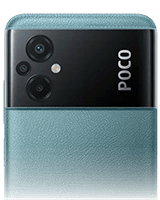
POCO M5 Recovery Firmware Download
Direct verified Recovery firmware package for POCO M5 – Version OS1.0.12.0.ULUMIXM.
The stock POCO M5 Recovery ROM for the Global region (build OS1.0.12.0.ULUMIXM) is provided for the platform. This POCO recovery firmware allows you to manually update, reinstall, or repair the POCO M5 using recovery mode installation. It is suitable for resolving system instability, bootloop conditions, failed OTA updates, or restoring the POCO M5 to stock factory software. This package is region-specific to Global and should only be installed on the target variant. The total download size for this POCO M5 package is 3.70 GB. Ensure the selected build OS1.0.12.0.ULUMIXM matches your Global model before flashing.
POCO M5 Recovery Firmware download details
This page provides the Recovery firmware file for POCO M5. Version OS1.0.12.0.ULUMIXM is listed with verified file metadata, compatibility information, and secure delivery.
Compatibility and scope
| Target Device | POCO M5 |
|---|---|
| File Type | Firmware (Recovery) |
| Android Generation | Android 14 |
| Platform | Android |
| Architecture | ARM64 |
| OS Requirement | Android 14.0 |
| Region / Market | Global |
| File Size | 4 GB |
| MIME Type | application/zip |
| Build Verification Hash | 0bb9c204ce
|
Usage context
Use this download when installing, updating, or repairing the Recovery component on POCO M5. This firmware is used for system-level updates such as compatibility, stability, or recovery operations. It is intended for Android 14.0.
🛡️ Pre-Installation Safety Checklist for POCO M5
Ensure device is charged to at least 50% to prevent unexpected shutdown during write operations.
Backup important data before performing major Android generation updates.
Remember your Mi Account and Google Account credentials to prevent Factory Reset Protection (FRP) lockout.
Verify the downloaded file hash against the SHA-256 checksum before flashing.
📦 How to Install This Recovery ROM Update
Method 1: Built-in System Updater (On-Device, No PC)
- Copy the downloaded
.zipfile to POCO M5 internal storage (/Download/). - Go to Settings > About Phone, tap the HyperOS/MIUI version logo 7 to 10 times consecutively until "Additional update features are on" appears.
- Tap the 3-dots menu in the top-right corner > select Choose update package.
- Select the downloaded ZIP file. The system will verify the package and prompt to reboot and install.
Method 2: Mi Recovery 5.0 ADB Sideload (For Bootloops / Soft-Bricks)
- Power off your device. Press and hold Power + Volume Up until the Mi Recovery 5.0 menu appears.
- Use volume keys to highlight "Connect with MIAssistant" and press the Power button to confirm.
- Connect your phone to PC via USB. Open terminal in your Platform Tools folder and run:
adb sideload <filename>.zip. - Wait for progress to reach 100%. The device will automatically reboot into the updated OS.
Frequently Asked Questions
Can I install this POCO M5 Recovery ROM with a locked bootloader?
Yes. Stock Recovery ROM (.zip) packages are cryptographically signed by Xiaomi. You can safely install this update on a locked bootloader using the built-in System Updater or Mi Recovery 5.0 ADB Sideload.
How do I install this Recovery ROM via the built-in updater?
Download the .zip package to your device's internal storage. Open Settings > About Phone, tap the OS logo 7-10 times to enable advanced update features, tap the 3-dots menu at the top-right, choose 'Choose update package', and select this downloaded ZIP.
What should I do if the updater says 'Can\'t verify update'?
Verify that the firmware region matches your device hardware variant and that your current OS version is compatible. Alternatively, install via Mi Recovery 5.0 (Power + Volume Up) using 'Connect with MIAssistant' and 'adb sideload'.
Does installing this Recovery ROM erase my personal data?
No. Standard incremental and full OTA updates applied via Recovery ROM preserve all user apps, accounts, photos, and messages. However, keeping a backup before any major OS version upgrade is recommended.
Always verify the file matches your exact device model and intended usage before installation.
Select Download Mirror
Version History & All Releases for POCO M5
Explore all available releases for POCO M5 Recovery system package. Click any version to view its release details and download links.
| Version | Region | Release Date | File Size | Status | Action |
|---|---|---|---|---|---|
| OS1.0.12.0.ULUMIXM | 🌐Global | Mar 09, 2026 | 4 GB | ⚡ Latest Current Page | Viewing |
| OS1.0.6.0.ULURUXM | 🇷🇺Russia | Mar 09, 2026 | 4 GB | ⚡ Latest | View → |
| OS1.0.5.0.ULUEUXM | 🇪🇺EEA | Mar 09, 2026 | 4 GB | ⚡ Latest | View → |
| OS1.0.4.0.ULUTWXM | 🇹🇼Taiwan | Mar 09, 2026 | 4 GB | ⚡ Latest | View → |
Looking for other versions or file types? ← Browse all downloads for POCO M5